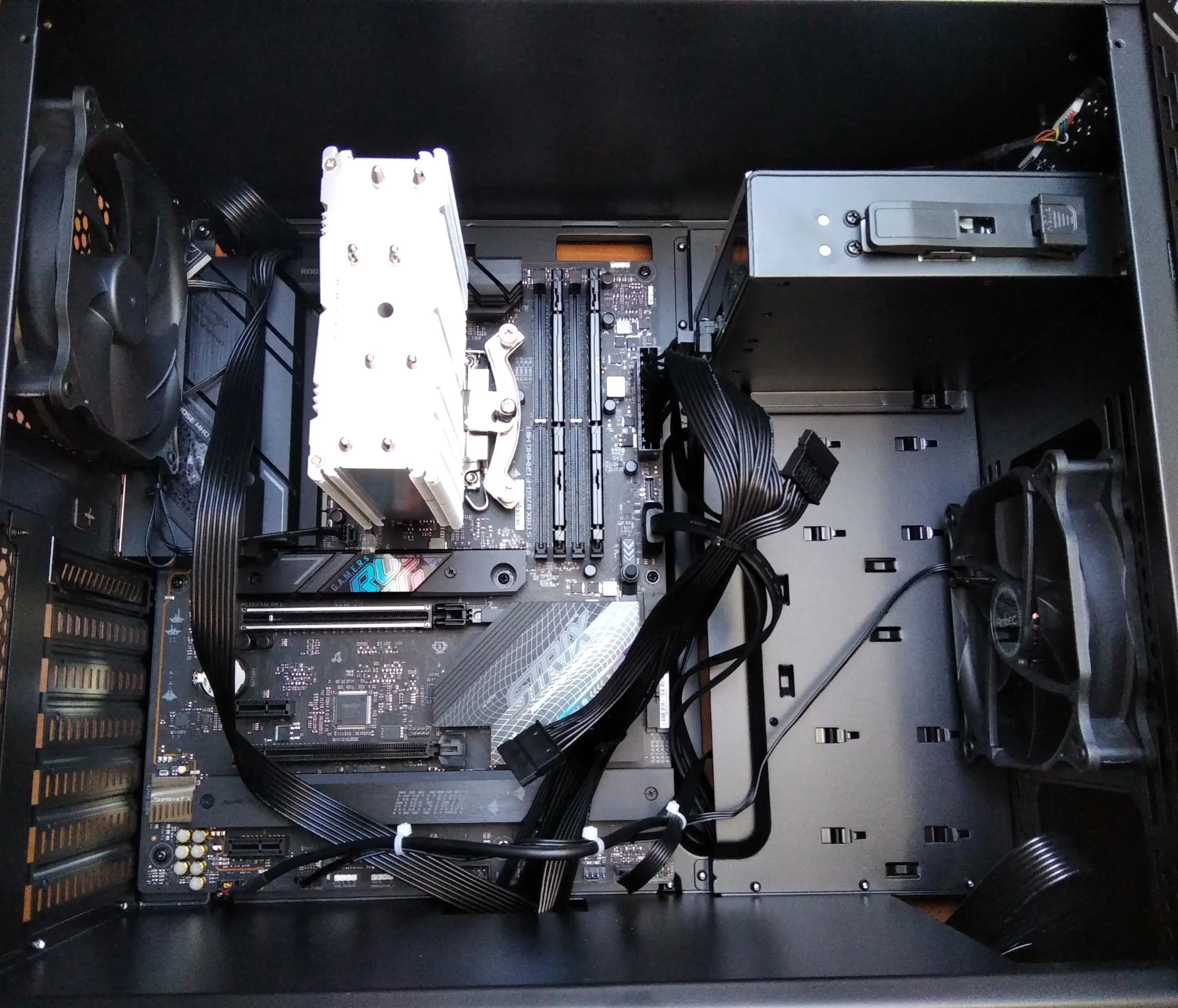
When comparing two PCs, it is easy to stop at three numbers: processor model, amount of RAM and graphics-card capacity. These are important details, but they tell only part of the story. Two computers with similar advertised performance can differ greatly in the quality of the power supply, motherboard, cooling, SSD and their ability to be upgraded in a few years.
Building a PC means looking beyond a short specification sheet and choosing the complete set of components carefully. At TekCare360 we consider the computer a complete system: every element must be compatible with the others, suitable for its intended use and proportionate to the budget, without hidden weak points.
A pre-built PC is not automatically worse
It is important to make the right distinction: a pre-built PC can be excellent, especially when the manufacturer clearly lists every model used and has designed the system in a balanced way. The problem arises when the description only says, for example, '32 GB of RAM', '1 TB SSD' or '750 W power supply' without specifying the brand, model and characteristics.
In that case the customer knows the theoretical performance, but does not always know what build quality they will receive. The manufacturer may have saved money on less visible components such as the power supply, motherboard, cooler, SSD or fans. This is not a universal rule and does not mean that every pre-built PC is poorly made: it means that transparency in the bill of materials is essential for genuinely comparing two offers.
The first advantage: choosing and knowing every component
- Choose a processor and graphics card suited to the planned work, gaming or creative use
- Select a motherboard with suitable power delivery, connectivity and expansion options
- Install a power supply with a verifiable brand and model, and power and protections that are genuinely appropriate
- Decide which RAM and SSD to use instead of looking only at nominal capacity
- Size the cooler, case and fans for balanced temperatures and noise
- Keep the path open for future replacements or upgrades
This freedom of choice is not about chasing the most expensive component. It is about spending in the right places: a workstation may have different needs from an office PC, just as a video-editing computer has different priorities from a machine for Full HD gaming.
Processor and graphics card: performance must be coherent
The processor and graphics card attract the most attention because they directly affect many performance measures. The right choice, however, is not simply to buy the most powerful model possible. You need to consider the software, monitor resolution, expected life of the computer, power consumption and the rest of the configuration.
A well-designed PC avoids putting almost the entire budget into one component while leaving the rest undersized. A powerful graphics card needs a suitable power supply, a case with good airflow and a CPU capable of supporting it; likewise, a high-performance processor needs a motherboard and cooling system up to the task.
Motherboard: it is not just about the name or phase count
The motherboard is where almost all components communicate. It is therefore not correct to assess it only by its chipset, appearance or advertised phase count. It is more useful to consider the project as a whole: VRM quality and sizing, MOSFETs and controllers, power-delivery heatsinks, PCB layout, BIOS, connectors, networking, audio, M.2 and PCIe slots, as well as declared processor and memory compatibility.
Capacitors are also part of the assessment, but they are not a score on their own. Solid capacitors or a recognised brand can be a useful clue, not a sufficient guarantee: robustness depends on sizing, the quality of the other circuits, cooling, firmware and the overall design. In other words, more components or more phases do not automatically mean a better motherboard.
The power supply is the component to choose most carefully
The power supply is often treated as a leftover item: as long as it has enough watts, the problem seems solved. In reality it powers every part of the computer, and an unsuitable model can compromise the stability, noise and reliability of the entire system. It is therefore important to know the exact model, platform, actual power available on the 12 V rail, connectors, warranty and integrated protections.
Depending on the design and model documentation, protections to check include overvoltage, overcurrent, overpower, short circuit and over-temperature protection. 80 PLUS certification is useful for comparing energy efficiency at certain loads, but it is not a complete assessment of power-supply quality: it does not replace checking the model, protections and internal platform.
RAM: it is not only about how many gigabytes there are
Capacity is the first detail to consider, but not the only one. A kit made of compatible modules, installed in the right configuration and tested at the intended frequency can provide a more consistent experience than generic modules chosen only to reach a number. Frequency, timings, XMP or EXPO profile, number of sticks and motherboard compatibility all matter.
SSD: 1 TB does not describe an SSD
Two SSDs with the same capacity can behave differently. Controller, NAND memory type, presence or absence of cache, sustained performance, temperature management, TBW rating, firmware and warranty length all contribute to the quality of the drive. For a computer that works every day, knowing the exact model is more useful than the single detail '1 TB SSD'.
During assembly we also consider how to use the M.2 and PCIe slots, because on some motherboards enabling one connector can share lanes or disable other ports. These details are not very visible in advertising, but they matter when designing an organised, upgradeable configuration.
Cooler, case and airflow
Performance does not depend only on whether the computer starts. Good cooling helps the processor maintain more stable frequencies, reduces noise and limits thermal stress during sustained loads. The cooler must therefore be compatible with the socket and processor power draw, while the case should offer space, air intakes and a sensible fan layout.
Cabling also has a practical role: it is not only about appearance. Cables gathered and positioned correctly make maintenance easier, improve access to components and help keep airflow clear. RGB lighting can be pleasant, but it does not replace cooling, fans and temperature monitoring.
Compatibility is checked before buying
Building does not simply mean inserting components into their slots. Before buying, we check the processor socket, BIOS version, memory type and profile, cooler dimensions, graphics-card length, power-supply format, available connectors and room for storage drives. This check avoids incompatible purchases and reduces the need for compromises during assembly.
Assembly and testing: the work continues after the first boot
A well-built PC is not only a set of components mounted in a case. After assembly, it is necessary to check the first boot, update or configure firmware when needed, install the operating system and drivers, verify the memory and observe temperatures, noise and stability during use.
- Visual check of connectors, standoffs, screws and cabling
- Check POST and recognition of the CPU, RAM, SSD and peripherals
- Configure the BIOS and memory profiles cautiously
- Clean installation of the operating system and required drivers
- Check temperatures at idle and under load
- Stability testing and fan-noise checks
- Final check of updates, backups and recovery options
Custom-built or pre-built PC: how should you choose?
A custom-built PC offers transparency, personalisation and control over the project above all. It lets you know the actual models, avoid unbalanced components, choose a suitable power supply and think about future upgrades from the start. It is an interesting solution when the computer must last, be repairable and adapt to a specific need.
A pre-built PC may instead be the simplest choice when you want one point of contact for warranty and support, when the price is particularly attractive or when the manufacturer fully discloses the components. The question is not 'custom-built or pre-built in absolute terms?', but 'how clear are the components and how balanced is the configuration I am buying?'
The checklist before buying a PC
- Exact processor and graphics-card model
- Motherboard model and chipset
- Power-supply brand, model, platform and protections
- RAM model, number of modules and intended frequency
- SSD model and warranty terms
- Cooler used and expected temperatures
- Case, fans and airflow path
- Ports, slots and room available for future upgrades
- Warranty type and ability to replace standard components
If a proposal does not list these details, ask for clarification before comparing the price. The difference between two PCs is not always visible on the box or in the first benchmarks: it may emerge after months, when quiet operation, stability, support or an upgrade are needed.
A well-built PC can grow with you
Personalisation does not end on the day of assembly. A motherboard with suitable connections, a carefully sized power supply, a spacious case and a good cooling system can make future upgrades easier. This way you do not have to replace the entire computer when all you need is more memory, an additional SSD or a new graphics card.
The best result is not the PC with the most expensive component list, but the one in which every choice has a reason. Quality, compatibility, maintenance and room to grow often matter more than a flashy specification added to make an offer look more attractive.