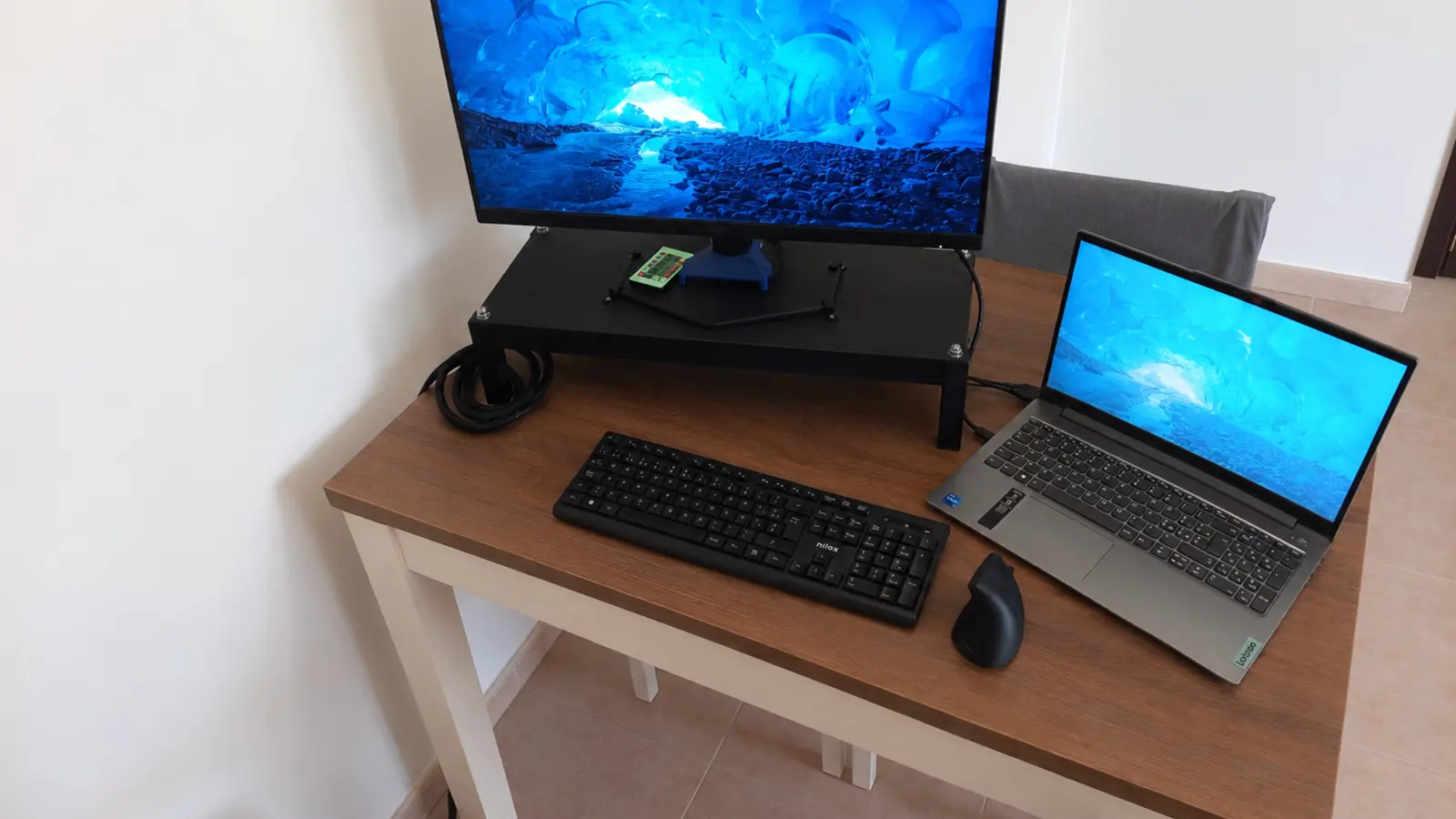
A well-designed workstation changes the way you experience computer work. It is not only about having a larger monitor or a nicer desk: it means building a complete, organised and coherent system in which every element has its place and the notebook connects with one simple action.
TekCare360 workstations are built around this idea. We start from the person's habits, the available space and the tools they already own, then design a solution that reduces clutter, makes moving easier and simplifies the daily use of monitors, webcams, keyboards, mice, headphones, hubs and lighting.
A workstation is a system, not a collection of accessories
When peripherals are added one at a time, it is easy to end up with scattered power supplies, cables of different lengths and devices placed wherever there is room. A custom workstation addresses the root of the problem: decide where each component belongs, how cables should run and which elements must remain easy to reach.
- fewer visible cables on the desk and under it
- peripherals that are easier to reach and replace
- better visual order and more free space for working
- a structure that is easier to move or reconfigure
- the ability to integrate materials and devices already available
One cable to the notebook
The docking station is at the heart of many configurations. The monitor, webcam, keyboard, mouse, USB hub, audio and other accessories connect to the dock; the notebook receives a single external connection, normally USB-C or Thunderbolt, which can carry data, video and charging when the hardware is compatible.
One detail is important: not every USB-C port supports video output or notebook charging. Before choosing the dock, we check the port, standard, available power, monitor resolution and number of peripherals. LED strips may also need a dedicated power supply: the project still keeps the notebook connection simple and the cables safely gathered.
What can be included in the configuration?
The docking station does not have to connect only a monitor. Depending on the needs, it can become the collection point for the whole workstation:
- an external monitor for more workspace and a more comfortable position
- a webcam for meetings, remote support and video calls
- a keyboard and mouse, including a wireless receiver connected to the hub
- headphones and a microphone for communication without extra cables on the desk
- a USB hub for drives, external disks, readers and other peripherals
- Bluetooth through a USB adapter when the notebook does not include it or dedicated management is needed
- LED lighting to improve evening visibility and make the environment more pleasant
Two workstations, the same philosophy
The images show two interpretations of the same idea: one configuration photographed outdoors and one set up at home. They are not workstations tied to a single environment: both can be designed for use outside the home when the structure, dimensions and components need to be moved easily.
The indoor images show the same philosophy applied to a home environment. The raised support frees desk space, the notebook remains close at hand and accessories can be gathered behind the screen or under the work surface. The same structure can then be moved outside the home when the project is sized for that use.
3D printing and transparent acrylic: personalisation starts with the details
Supports and collection parts do not have to be forced into a standard structure. We can create 3D-printed elements with dimensions, holes, angles and fixing points designed for the actual devices. Transparent acrylic can then create shelves and panels that are strong, visually light and able to showcase the work done behind the monitor.
- supports for docking stations, hubs, power supplies and remote controls
- cable routes and guides with lengths better suited to the configuration
- housings for webcams, headphones and frequently used accessories
- transparent acrylic panels to support or separate components
- colours and finishes chosen to suit the environment and the character of the workstation
We can start with what you already have
A custom workstation does not require replacing everything. We can use the monitor, notebook, keyboard, mouse, dock or headphones you already own, checking compatibility, dimensions and component condition. When necessary, we can also suggest buying new parts, choosing each element for the result rather than only for its appearance.
Designed for today's work and tomorrow's upgrades
Another advantage of a custom-designed structure is the ability to plan for the future. A new monitor, a different hub, a larger webcam or a new notebook should not necessarily force you to start again from zero: if the base is modular, many parts can be moved, reprinted or updated without rebuilding the entire workstation.
- remote and hybrid work
- students and professionals who use several peripherals
- holiday homes and tourist properties that want to offer an organised workstation
- small offices with space and maintenance needs
- anyone who wants a cleaner setup without giving up the technology they already own
The result is not only aesthetic. An organised workstation is easier to clean, easier to understand when something stops working and quicker to disconnect when the notebook needs to be moved or used in another environment. The technology remains complete, but managing it becomes much more natural.